factory Outlets for Thermostat Freezer To Refrigerator - Electronic thermostat – HOPESTRADE
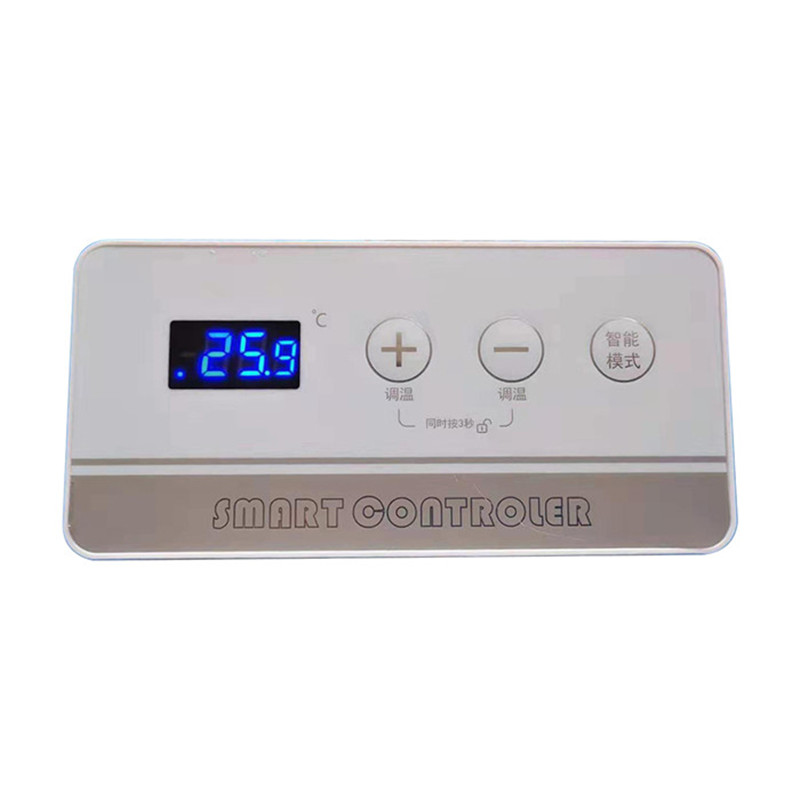
factory Outlets for Thermostat Freezer To Refrigerator - Electronic thermostat – HOPESTRADE Detail:
1. Type of freezer
To be defined by Customer
2. Temp Control
2.1 Control parameter
l Temp Parameter
Temp range from -40℃ to 10℃,tolerance 0. 1℃。
2.2 Button and Display
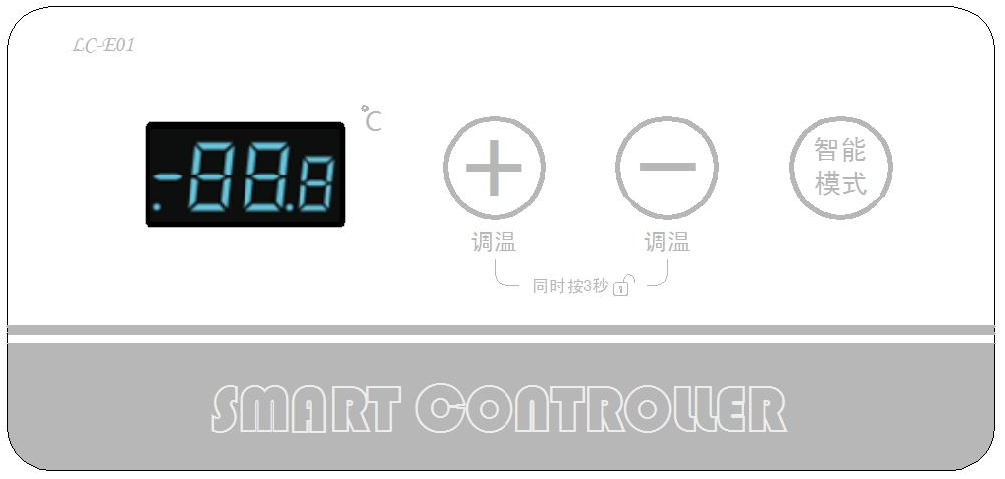
(Example)
2.2.1 Lock and Unlock by button
l Manual unlock
When locked, press“+”and“-”at the same time for 3 seconds to unlock.
l Automatic lock
When unlocked, system will be locked in 8 seconds if no operation on the button.
2.2.2 Compressor display
The small point on the left side of LED screen is the mark of Compressor on/off , if the compressor in working, the small point appears, if not, the small point disappear.
3. Function
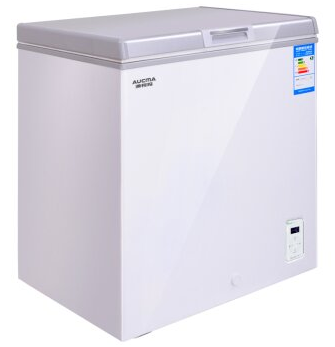
3.1 Type of freezer
Convert Between Refrigeration ↔ Freeze
3.2 Initial State
3.2.1
When the power is switched on for the first time, carry out self-test (all the leds on the display board are on for 1 second), and enter the setting state after the self-test, and the key is unlocked. The temperature display screen shows the current setting temperature, which is set as -18.0℃ by default.
3.2.2
When the power is switched on for the first time, if the temperature in the equipment is higher than the shutdown point, then start the power on until the temperature drops to the shutdown point.
3.2.3
After the refrigerator is powered off, when it is powered on again, it will run according to the remembered pre-power off state (including quick-freeze mode), the display window will display the set temperature, and the button will be in the unlock state.
3.3 In case temp. setting
3.3.1、Single Temp setting
In the unlocking state, Press the “+” or “-” button for a single time (press) to adjust the setting temperature up and down. Press the “+” or “-” button for a single time to adjust the setting temperature up and down according to the change of 0.1℃/ S (the integer part remains unchanged and only the fractional part remains unchanged). The setting temperature flashes and displays.
3.3.2、Fast Temp setting
In the unlocking state, the setting temperature is adjusted up and down by long pressing 3S “+” or “-” button. The setting temperature changes rapidly and continuously. The gradual speed of the temperature value is 1.0℃/1S(the fractional part remains unchanged and only the integer part changes).
3.4、Frozen mode setting:
3.4.1 Enter Frozen mode
3.4.1.1 Precondition:Only when the setting temperature of the refrigerator is not higher than (less than or equal to) -12.0℃, can it enter the quick-freezing mode. Otherwise, it cannot be selected.
3.4.1.2 Operation:In the unlocking state, single press the “intelligent mode” button, and the system will automatically operate under the setting state of -18 °. In the unlocking state, hold down the “smart mode” key for 5 seconds, and the display window flashes “Sd”. Stop the key, and the keyboard is locked after 8 seconds then the freezer enters the quick-freezing mode.
3.4.2、Exit frozen mode
3.4.2.1、Manual exit operation:In quick-freeze mode, after unlocking, press any key except quick-freeze key to exit quick-freeze mode.
3.4.2.2、Precondition of automatic exit frozen mode
l After entering the quick-freeze mode for 4 hours, if the temperature in the case is lower than -36.0℃, it will automatically exit the quick-freeze mode.
l After 48 hours of continuous operation in quick-freeze mode, the machine will automatically exit the quick-freeze mode and stop the machine for 15 minutes.
3.5、Display screen brightness setting
3.5.1、Display brightness is divided into three states
High-light/Dark-light/Off
Default to high-light and dark-light transition state;
3.5.2、Turn Off operation of Display Screen
In the lock state (any state of the display screen), press the “intelligent mode” button for 3 seconds, and the display screen will be off
3.5.3、Turn on operation of Display Screen
When the display screen is off or dark. Press any button to enter the highlighting state. After 1 minute of highlighting, it will automatically enter the dark state.Press any key in the highlight state without any effect;
3.5.4、Automatic brightness conversion
The display screen is highlighted when in the setting operation, and it will be switched to dark light after 1 minute without any operation.
3.6、Display
|
Type |
Single press Display |
|
Temp Setting |
Order of temp display when adjusting 0.1℃↔0.2℃↔0.3℃↔0.4℃↔0.5℃↔0.6℃↔0.7℃↔0.8℃↔0.9℃↔0.1℃ |
|
Type |
Long press Display |
|
Temp Setting |
Order of temp display when adjusting 10.0℃↔9.0℃↔8.0℃… … ↔1.0℃↔0℃↔-1.0℃ … … ↔-38.0℃↔-39.0℃↔-40.0℃↔10.0℃ |
3.7、Control
3.7.1、Temp Control
l In-case Temp Control
TS=Temp Setting,TSK=Switch on Temp ,TSG=Switch off Temp
When TS range is 10.0℃~0.0℃;TSK=TS+2.5;TSG=TS-0.5
When TS range is -1.0℃~-40.0℃ ; TSK=TS+2.5;TSG=TS-2.5
l The marking and position of sensor
| Name | Marking | Position |
| Temp. Sensor | SNR | On the case |
Sensor position
(Freezer Body)
u Position is only for you information, it changes by different design of case.
3.7.2、Compressor Control
Precondition of Compressor ON/OFF
|
Precondition for ON |
Precondition for OFF |
|
In-case Temp higher than Setting |
In-case Temp lower than Setting |
3.8 Perception function of failure
3.8.1 Display when failure happens
|
NO |
Iterm |
Display |
Reason |
Action |
|
1 |
SNR failure |
Display “Err” |
Short circuit or Open circuit |
Check connection line |
|
2 |
High Temp Alarm |
Display “HHH” |
When in-case temp is +10℃ higher than Setting Temp over 2h |
Check refrigerating line |
3.8.2 Control parameter when failure happens
|
NO |
Iterm |
Compressor work parameter |
|
1 |
SNR failure(-10℃~-32℃) |
Working for 20mins Then stop for 30mins |
|
2 |
SNR故障(10℃~-9℃) |
Working for 5mins Then stop for 20mins |
|
3 |
High Temp alarm |
Aromatically recover when in-case temp less than Setting Temp+10℃ |
4、Running protection
If the compressor runs continuously running for more than 4 hours, it will stop automatically for 15 minutes, and then continue to run according to the original setting.
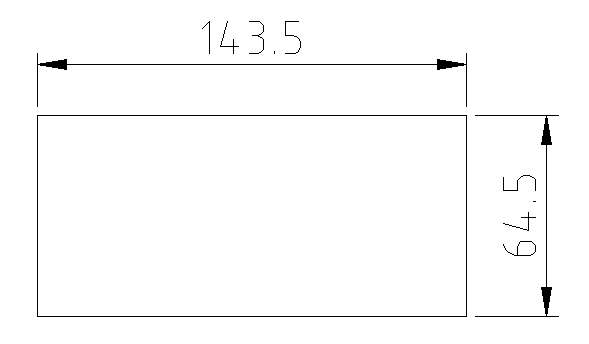
5、Diagram and Install Size
Diagram ↓
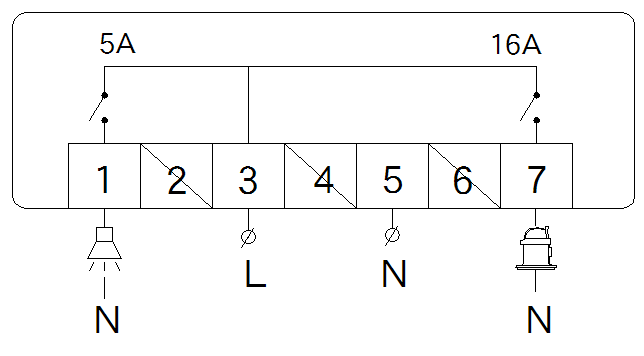
Size of the installation hole
Product detail pictures:
Related Product Guide:
We always continually offer you the most conscientious purchaser services, and the widest variety of designs and styles with finest materials. These efforts include the availability of customized designs with speed and dispatch for factory Outlets for Thermostat Freezer To Refrigerator - Electronic thermostat – HOPESTRADE, The product will supply to all over the world, such as: Bulgaria, Georgia, Macedonia, In the new century, we promote our enterprise spirit "United, diligent, high efficiency, innovation", and stick to our policy"basing on quality, be enterprising, striking for first class brand". We would take this golden opportunity to create bright future.
 By Pearl from Germany - 2018.12.25 12:43
This company can be well to meet our needs on product quantity and delivery time, so we always choose them when we have procurement requirements.
By John biddlestone from Seychelles - 2018.12.05 13:53